 Brewing
Put your PDFs in order.
Combine documents, split pages, reorder a PDF or extract its text. Make scanned English and Spanish pages searchable with OCR.
Made for your Mac · By Burrito’s Labs
Combine a PDF. Resize a folder of photos. Get the audio from a video. Brewing brings 48 everyday tools into one calm workspace.
Brewing 1.0.0 · 30-day trial, no card required · No subscription
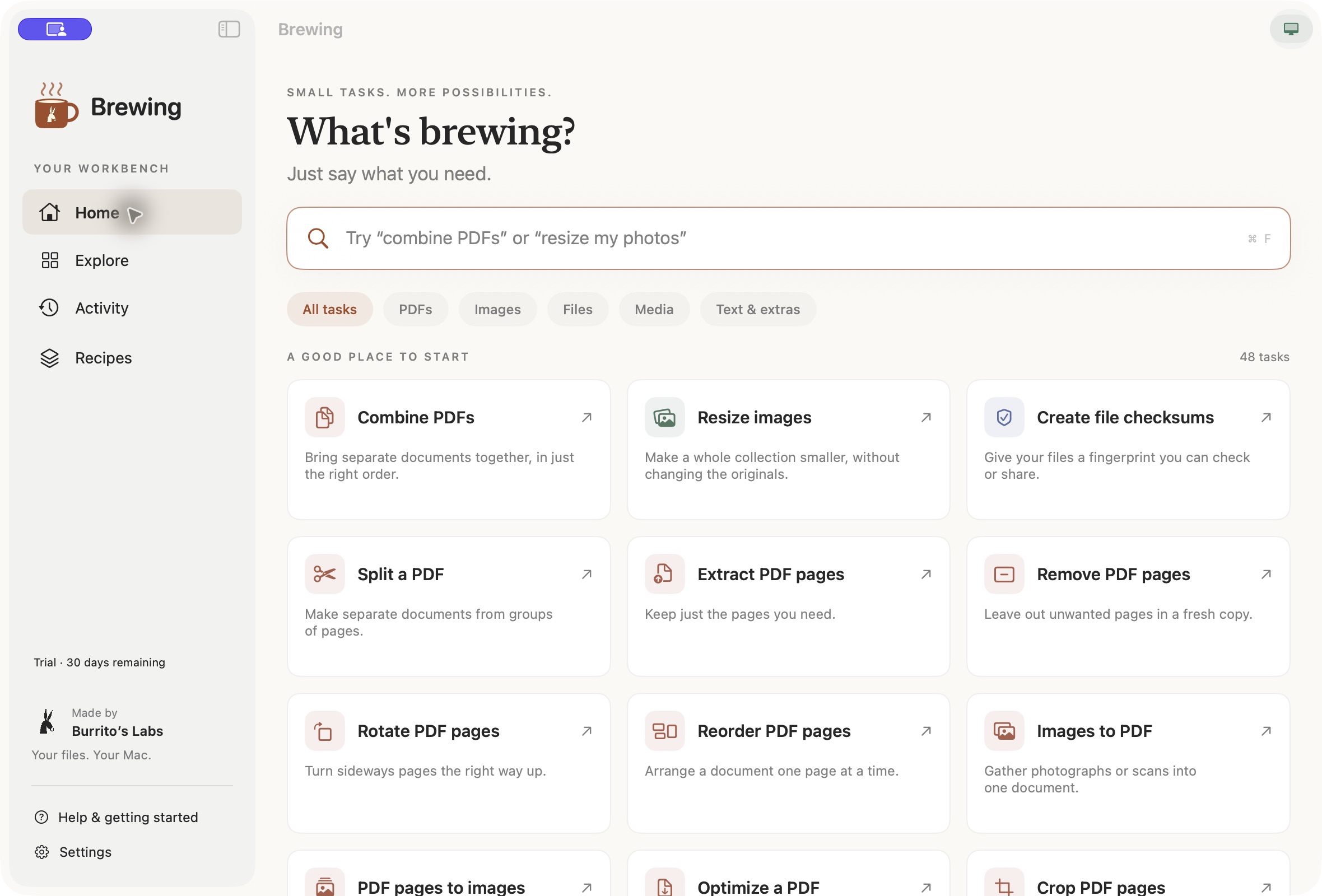
Review your settings and save new results. Originals are preserved by default.
Native controls, clear progress and English or Spanish. No terminal to learn.
Core processing and task search run locally. Your files stay on your Mac.
48 tasks. One place to start.
Search for what you need, or browse the collection. Each tool shows its settings before you run it.
Combine documents, split pages, reorder a PDF or extract its text. Make scanned English and Spanish pages searchable with OCR.
Resize, convert and compress supported images. Process a whole folder with consistent settings and keep the originals.
Trim a recording, resize a video or extract its audio. Choose the destination and follow progress as it works.
Preview batch names, find exact duplicates, create checksums and work with ZIP archives. Review the plan before processing.
Compare and tidy text, turn Markdown into a PDF, and create or read a QR code. Practical tools without another app to install.
Save your settings and connect compatible tasks into a recipe. Find completed results and their details in Activity.
Supported formats and limits are shown in each workflow. PDF cropping is not secure redaction; OCR results should be reviewed.
From “I need to…” to done
Type “combine PDFs” or “resize my photos,” or browse by category. Search works without AI.
Add your files, adjust the settings and choose where the new results will go.
Follow the progress, stop when needed and open your finished files. Save a recipe for next time.
A toolkit, not another subscription
Start a full 30-day trial inside the app. No payment card, no automatic charge. Buy when Brewing earns its place on your Mac.
A license covers the purchased major version. Future major upgrades are optional.
License and refund details →€49.99
One payment. Including applicable taxes.
Brewing for Mac
A full local trial. No account or payment card needed to start.
We’re completing the final installation and update checks. The signed installer and confirmed system requirements will appear here when they pass.
Public download opening soon · No preorders
Recover your activation instructions using the email address from your purchase.
Recover a license →Good to know
No. Core file processing, previews, OCR and task search run on your Mac. Purchasing, activating or recovering a license uses an internet connection and does not send your documents.
You start the trial in the downloaded app. When sales open, Buy will take you to a secure browser checkout. Your license code arrives by email; enter it in Brewing under License & trial to activate your Mac.
No. Ordinary task search and all registered tools work without it. Optional Apple on-device suggestions are available only on eligible Macs and systems.
We’ll publish the supported macOS versions and Mac models with the public download. Release testing is still in progress, so we are not yet promising older-system or Intel compatibility.
Brewing is made and owned by Burrito’s Labs LLC. Need a hand? Email hello@burritoslabs.com.
A hand when you need one
Questions about a task, installation or your license? Write to hello@burritoslabs.com. Please don’t send private documents or license codes.

Made with care by Burrito’s Labs.
© 2026 Burrito’s Labs LLC. All rights reserved.